Your whole company, in one work space.
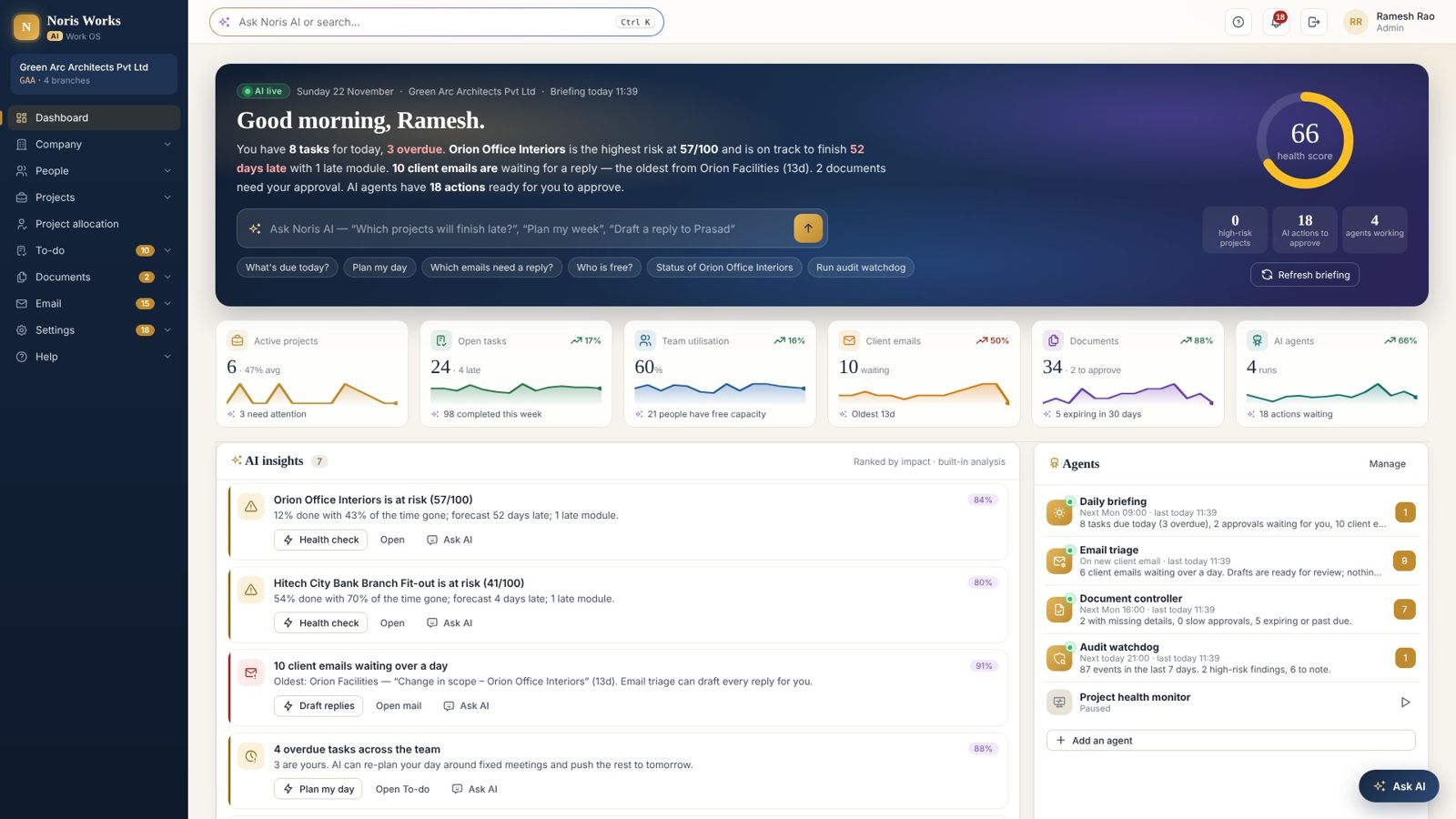
Branches, people, projects, allocation, email, to-do and documents in one app, with Claude AI agents that tell you what needs attention each morning. Your team stops chasing work across ten tools.
A quick tour, from registration to AI agents
Every screen in the video is the real product. Pick a chapter to jump straight to the part you care about.
Chapters
Set up your structure once. Run every project on it.
Register
Company details, address and an admin login. Verify the email with a 6-digit code and you're in.
3 short steps · about 3 minutesAdd your structure
Branches, departments and sub departments, then your people with their roles. The Setup guide walks you through it.
Branch → Department → Sub departmentCreate and allocate
Start projects from templates, then give each module to a department and a person. AI can propose a fair split.
Project → Module → Sub module → PersonRun the day
People work from To-do, Email and Documents. You read the morning briefing and approve what the agents suggest.
One briefing · every morningKnow who is doing what, on every project
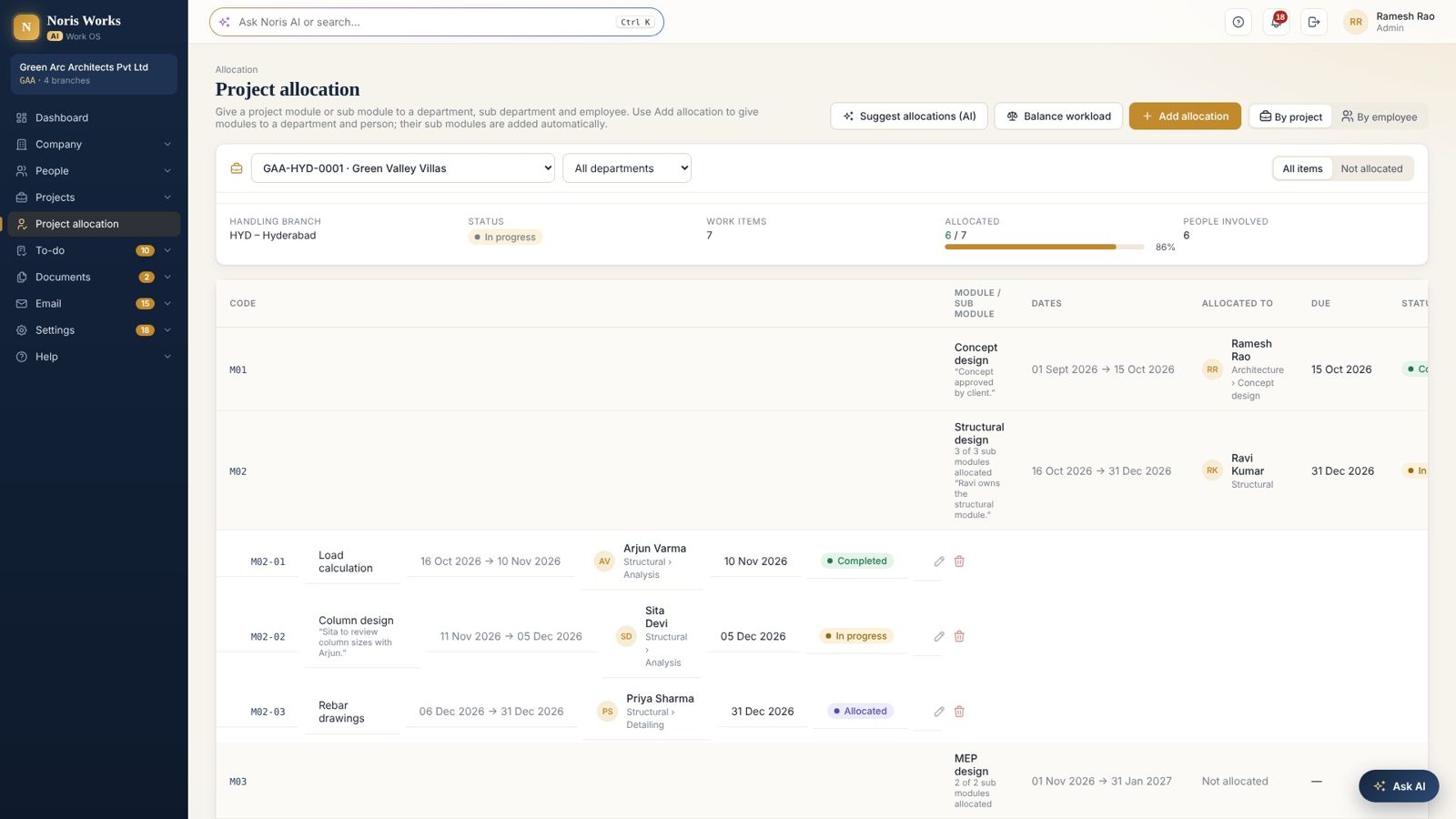
Projects carry modules and sub modules from your own templates. Allocate each one to a department, sub department and person, and progress rolls up by hours to the project.
- Flexible chains: a director can assign straight to an engineer
- By-project and by-employee views, with unallocated work flagged
- Health check and "Suggest allocations" from Claude
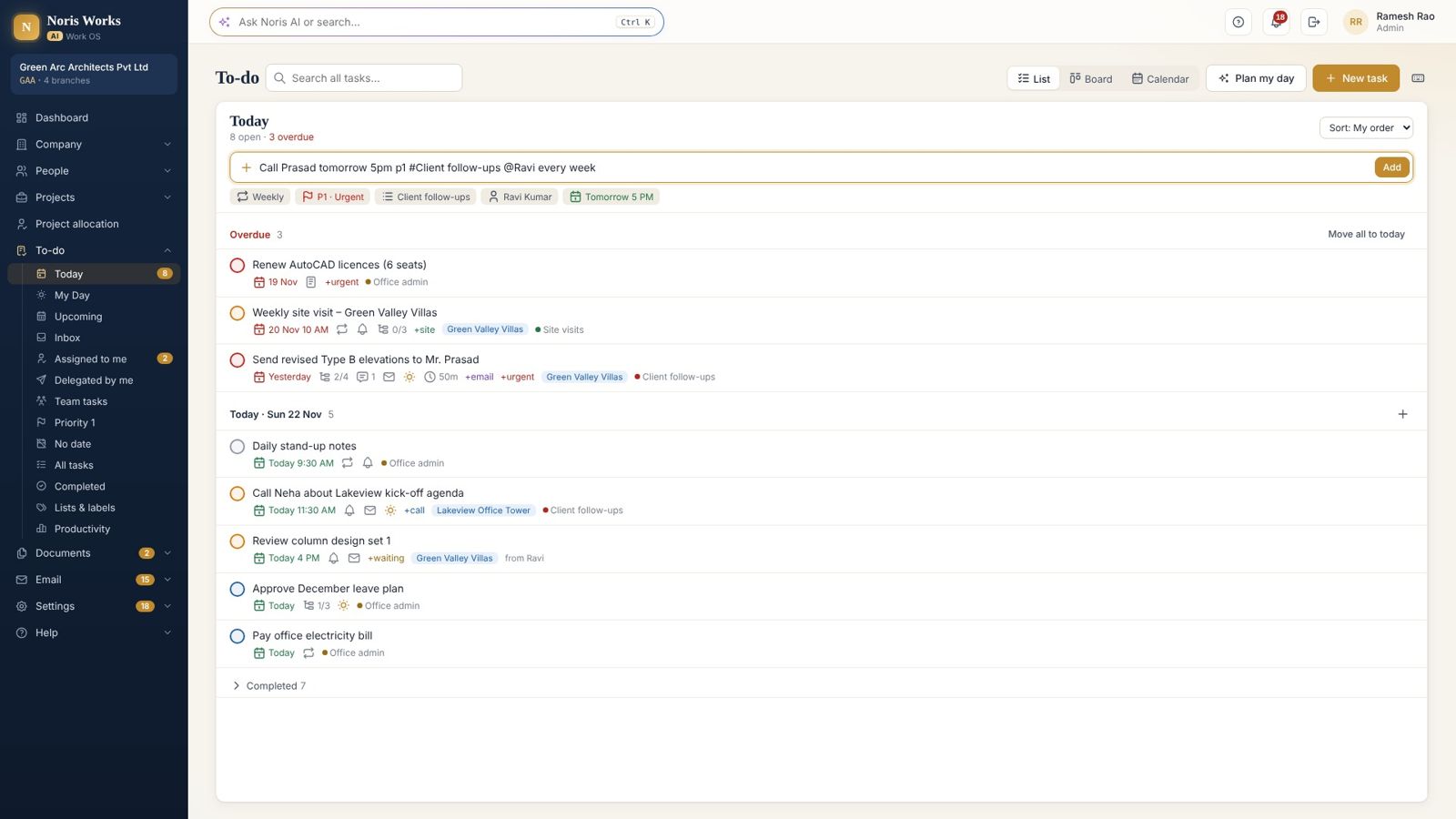
Type a sentence. Get a scheduled, assigned task.
Dates, times, priorities, lists, people, labels and repeats are read from plain language. Personal lists and team tasks live side by side.
- My Day, Upcoming, Assigned to me, Delegated, Team views
- List, board and calendar layouts with sub-tasks and reminders
- "Plan my day" orders tasks around your meetings
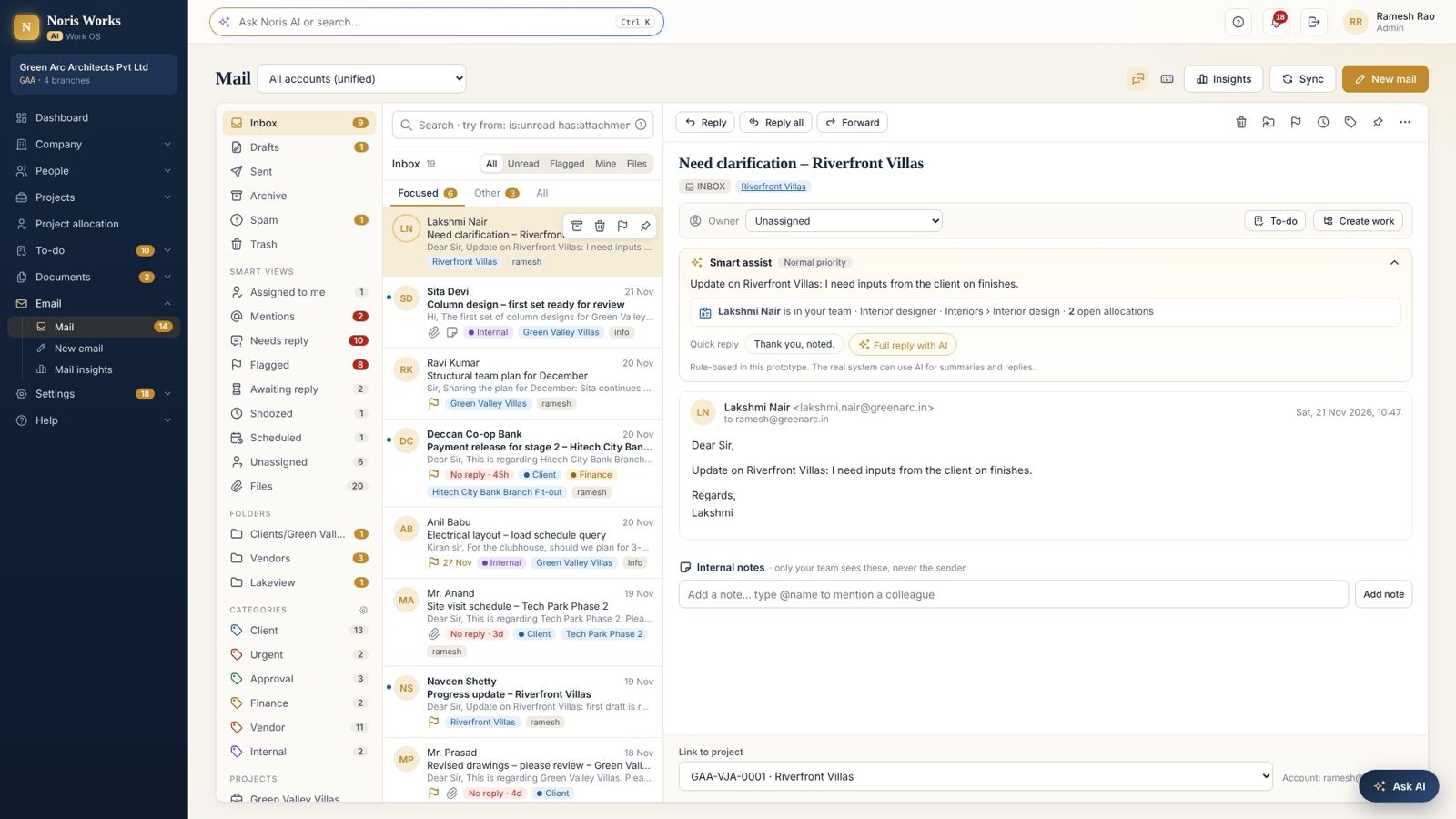
Every company mailbox in one inbox, linked to the work
Connect Gmail, Outlook, Zoho or any IMAP account. Assign client mail to a colleague, add notes only your team sees, and turn an email into a task or a document in one click.
- Focused inbox, threads, snooze, pin, rules and templates
- Open / Waiting / Closed tracking for client emails
- Mail insights: response times and who is still waiting
Document control that drawing offices actually use
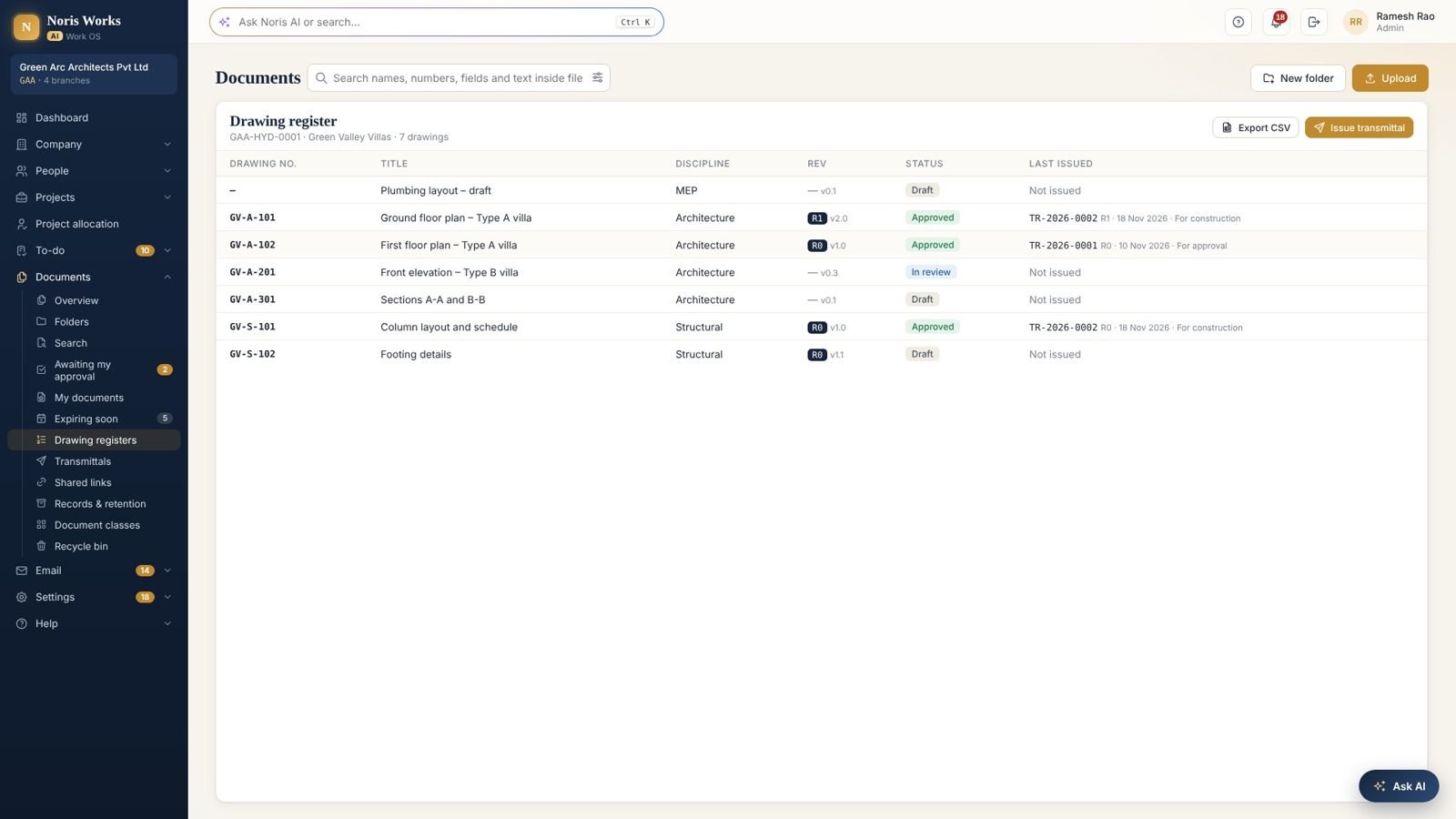
Every project gets its own folders. Upload, and the title, number and revision are read from the file name. Check out to edit, check in a new version, and send it through approval.
- Drawing registers and transmittals to clients
- Share links with expiry and password
- Records, retention periods and legal hold
Your own forms, checklists and quotations
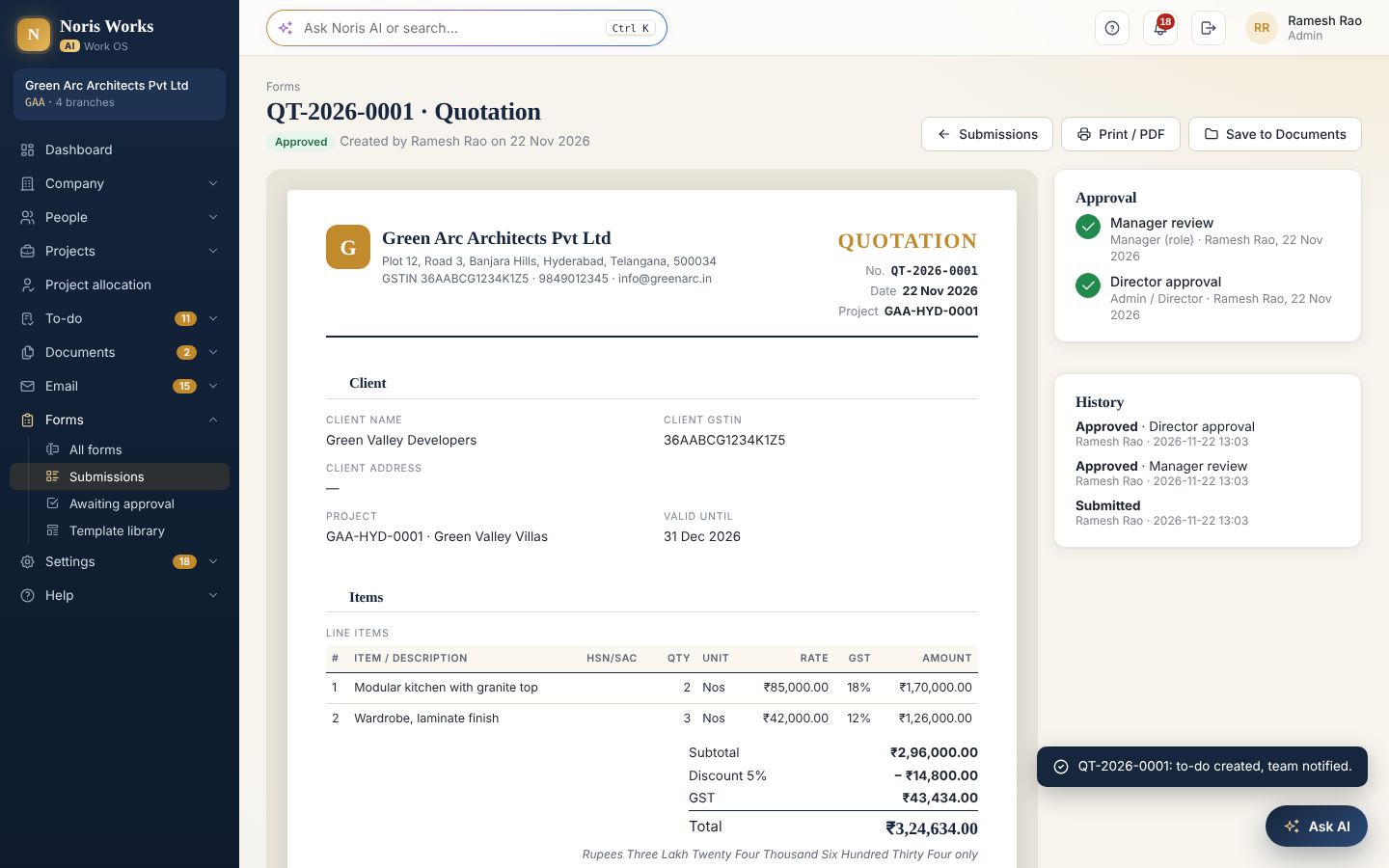
Build forms that match how your company works, without coding. Start from a template, drag in fields, or describe the form to the AI. Your team fills it on any phone, it goes through your approval steps, and prints on your letterhead.
- Quotations with line items, GST, discount and total in words
- Site inspection checklists with photos and signatures
- Purchase, leave and expense requests with multi-step approval
- Numbered submissions, printable PDF, CSV export
Your real organisation, not a flat list of users
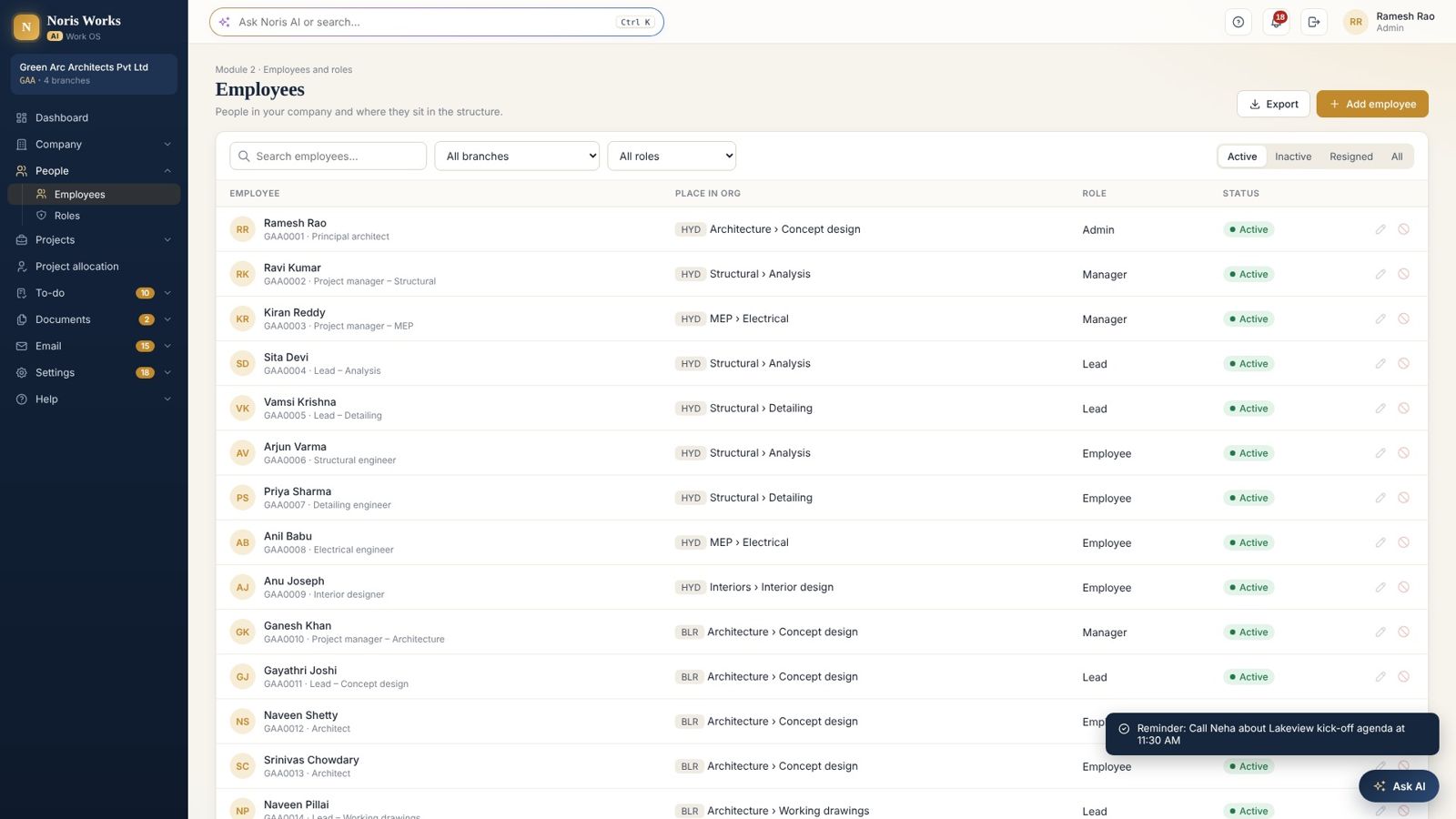
Model branches, departments and sub departments once. Every employee, project and allocation hangs off that structure, so workload and reports are right by branch and team.
- Employee codes from your company short code
- Roles: Admin, Manager, Lead, Employee
- Active, inactive and resigned staff kept with their history
Agents do the routine work. You approve every action.
Agents read your projects, email, documents and audit log on a schedule or when something happens, then propose actions. Nothing changes until a person says yes.
Daily briefing
What is due, overdue and waiting on you, sent each morning to the dashboard and NChat.
Weekdays · 9:00Email triage
Finds client emails waiting too long, drafts replies and creates follow-up tasks.
When a client email arrivesProject health
Compares progress with time spent and flags projects heading for a late finish.
DailyDocument controller
Chases missing details, slow approvals and contracts or permits about to expire.
When a document is uploadedWorkload balancer
Spots overloaded people and proposes who could take some of their modules.
WeeklyAudit watchdog
Reviews the audit log for failed sign-ins, deletions and changes outside working hours.
Daily · 21:00Try it: approve what the agent suggests
This is how proposals look in the app. Low-risk actions can be set to run on their own later; everything else waits for you.
Made for firms where work is a project
You rename the words "Project", "Module" and "Sub module" per project type, so the app speaks your trade.
Architecture
Concept, design development and working drawings, with drawing registers and transmittals. Villa → Elevations → Type B
Construction
Sites, stages and contractors, with permits and contracts tracked to expiry. Tower → Floor 4 → Slab
Engineering consultancies
Structural, MEP and civil teams sharing one project, each with their own modules. Bank fit-out → MEP → HVAC
Interiors & fit-out
Client approvals, vendor email and site visits in one place. Office → Pantry → Joinery
IT & services
Client projects split into releases and tasks, with email and documents attached. Portal → Release 2 → Billing
Manufacturing projects
Plant and machine projects with drawings, approvals and teams across branches. Line 3 → Tooling → Fixtures
Your data, your rules, and a record of every change
Audit log
Who changed what, when and from which device, with before-and-after values. Entries cannot be edited or deleted.
Approvals for AI
Agents only propose. Each one has its own permissions, and every action they take is logged.
Secure sign-in
Email verification, strong passwords, lockout after 5 wrong attempts, and single sign-on on Enterprise.
Roles and restricted folders
Access follows roles, and sensitive document folders are visible only to the people you choose.
Retention and legal hold
Declared records cannot be changed until their retention ends; legal hold blocks deletion completely.
Cloud or on-premise
Use our cloud, or install Noris Works on your own servers with the Enterprise on-premise licence.
Start free. Pay per user as you grow.
Free
For teams trying it out
- 3 projects
- To-do, documents, allocation
- 2 GB storage
- Built-in AI assistant
Starter
Small firms, 5–50 users
per month
- Unlimited projects
- Projects, allocation, to-do, documents
- 10 GB per user
- Limited Claude AI
Business
Growing firms, 20–500 users
per month
- Everything in Starter
- Email workspace and mail insights
- Approvals, registers, transmittals
- Claude agents · 25 GB per user
Enterprise
Large companies, 50+ users
per month
- Everything in Business
- Single sign-on and API
- Retention, legal hold, audit export
- Priority support · 50 GB per user
Enterprise on-premise
For groups that must keep data on their own servers: unlimited users, all modules, your own Claude key, installed and supported by our team.
+ 20% yearly support
Prices are per user per month, billed annually. GST extra.
Before you register
Still unsure? Watch the demo, or register free and try it with your own projects.
How long does setup take?
About 30 minutes for a typical company: register, add branches and departments, add your people, then create the first project. A Getting started checklist inside the app shows what is left.
Can we move our existing projects and emails in?
Yes. Connect your mailboxes and new mail flows in automatically. Projects, employees and documents can be added from the app; our team can help import larger lists on paid plans.
Does the AI change things on its own?
No. Agents propose actions and wait for a person to approve them. You can later allow low-risk actions, such as creating a to-do, to run automatically.
Which email services work?
Gmail and Google Workspace, Microsoft 365 and Outlook, Zoho Mail, and any provider that offers IMAP and SMTP.
Where is our data stored?
In our cloud by default, with daily backups. Enterprise customers can choose the on-premise licence and keep everything on their own servers.
Can we use it on phones?
Yes. The whole app works in a phone browser, and Android and iOS apps are on the roadmap.
Register your company today
Free for up to 5 users, no card needed. Prefer a guided walkthrough with your own data? Our team in Hyderabad will set it up with you.